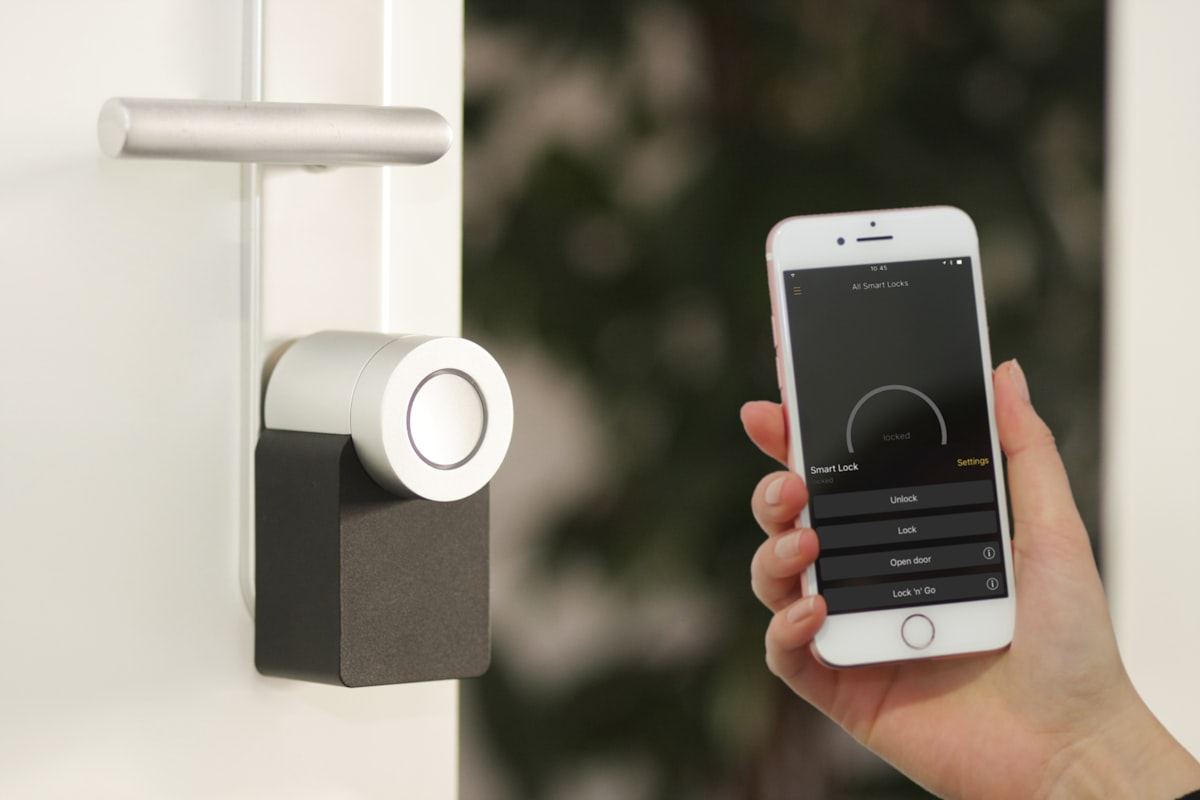
Picture a guest arriving at your Pueblo rental after dark. The lockbox is frozen, the porch light is off, and the backup key is with a cleaner who lives twenty minutes away. That is the problem a smart lock for rental property owners should solve.
The keypad is only the visible part. A dependable setup also needs the right door fit, reservation-specific codes, a battery routine, clear instructions, and a backup way inside. Skip any one of those and the lock can create a more complicated lockout than the metal box it replaced.
This guide is for short-term rental owners who want self check-in without turning every arrival into a technology test.
Choose a smart lock for rental property use, not just home use
Start with the door. Confirm the existing lock type, backset, bore dimensions, door thickness, handing, and space around the trim. Check that the deadbolt moves freely with the door closed. If you have to lean on the door to turn the current key, an electric motor will struggle too. Fix the alignment before adding electronics.
For a rental, choose a keypad model that lets a guest enter a code without creating an account or installing an app. Airbnb's off-platform policy says hosts cannot require guests to install a third-party app to enter a listing unless a documented legal or compliance exception applies. A keypad keeps the basic arrival simple even when a guest has poor cell service or a nearly dead phone.
Then verify how the exact model connects. Some locks include Wi-Fi. Others need a bridge or hub for remote management. Bluetooth by itself may work at the door but leave you unable to create a code from across town. Check whether the lock keeps accepting already programmed codes when the internet is down, how many codes it stores, whether it reports low batteries, and whether remote alerts require a subscription.
Colorado weather adds one practical check. Read the lock's published temperature range and battery guidance, especially for a shaded north-facing door. A product that behaves well in a climate-controlled showroom still has to wake up during a cold Pueblo morning.
Give each reservation its own door code
Do not build the process around one permanent guest code. Create a unique code for each reservation, set it to start at check-in, and end it after checkout. Keep separate named codes for the owner, cleaner, co-host, and maintenance contact so you can remove one person's access without changing everyone else's.
Airbnb's connected-lock feature can automate this for eligible listings in the United States and Canada. Its current documentation says compatible Wi-Fi keypad locks from Schlage, Yale, and August can receive a unique guest code that becomes active at check-in and expires after checkout. Compatibility changes, so confirm the current list inside the Airbnb app before buying a lock.
If you use property-management software instead, test the entire chain with a fake reservation. Check a modified arrival time, an early checkout, a canceled stay, and two bookings that turn over on the same day. Automation is useful only when the dates and time zone arrive correctly at the door.
And keep the owner account private. A cleaner needs a door code, not the password to the account that controls every rental.
Build a backup before the first smart-lock check-in
Airbnb tells hosts using its connected locks to add a backup entry method to the Arrival guide. Take that seriously. A fresh battery does not prevent a jammed bolt, damaged keypad, vendor outage, or guest who reads a six as an eight.
Your backup might be a keyed cylinder with a securely managed spare, a separate lockbox that is only shared when needed, or a local co-host who can reach the property. Do not leave a permanent fallback code in every message thread. Record who can issue the backup, where it is documented, and how it is changed after use.
Now simulate failure. Start with the door open and keep another entry available. Disconnect the property's internet and confirm an existing guest code still works. Remove and restore the batteries according to the manual. Use the physical key. Ask someone who did not install the lock to follow the guest instructions. The test should happen while you are standing at the door, not while a family waits outside after midnight.
A smart lock is only hands-off when the guest, cleaner, and local backup can all get in without borrowing the owner's login.
Secure the account and the network under the lock
The lock account can open a real door, so treat it more carefully than a streaming password. Use a unique password and enable multi-factor authentication when the manufacturer offers it. Keep the lock and app software current. Remove old co-hosts and service providers when their role ends, and review access history after an unexpected entry alert.
The network matters too. Put rental property devices on a network separate from guest Wi-Fi when the router supports isolation. Guests need internet access. Their phones and laptops do not need to discover the lock, cameras, thermostat, or recorder. Our networking and Wi-Fi page explains coverage and segmentation for connected homes.
If the entry also has an exterior camera, keep the jobs separate in your head. The lock controls access. The camera records a defined exterior view. Airbnb currently prohibits indoor cameras in home listings and requires exterior-camera disclosure, so review the platform's policy before placing one. Our security camera page covers placement, recording, and alert options.
Use a turnover checklist for every rental smart lock
A short routine helps catch problems before a guest arrives. Before each arrival:
- Confirm the new guest code exists and its active window matches the reservation.
- Check battery status and replace batteries before they reach the manufacturer's critical threshold.
- Lock and unlock the door once from outside, with the door fully closed.
- Verify the backup entry method and the person responsible for it.
- Read the guest instructions on a phone and make sure the keypad steps are plain.
- After checkout, confirm the guest code expired and investigate any unexpected access event.
Put the battery type, lock model, programming instructions, support number, and key location in the property's private operations record. Keep guest-facing instructions much shorter: where the keypad is, which buttons to press, how to lock the door when leaving, and whom to contact if it fails.
A photo helps. So does one sentence explaining that the door may need to be pulled fully closed before the bolt can extend. But if that sentence turns into "lift hard and shoulder the frame," repair the door. Instructions should explain the lock, not compensate for a mechanical problem.
Make the lock part of a small, reliable system
A rental does not need a dozen connected gadgets. It needs a few systems that reduce calls and behave predictably: entry, exterior lighting, stable Wi-Fi, temperature control, and perhaps leak detection. Our home automation page shows how schedules and routines can connect those pieces without making the guest manage them.
The best smart lock setup is boring on check-in day. The guest sees a keypad, enters a code, and walks inside. Behind that simple moment is a door that fits, a code that expires, a network you control, and a backup that has already been tested.
Ready to Get Started?
Questions About Your Smart Home?
We serve Fountain, Colorado Springs, Pueblo, and Southern Colorado. Reach out and we'll talk through your project.
Contact Us